Every entrepreneur dreams of connecting with their audience. Email marketing is more than sending messages. It’s about building relationships that turn readers into loyal customers. With AWeber, you can make that dream a reality.
Imagine a marketing tool that gives you $42 for every dollar you invest. AWeber is that tool. It’s a powerful platform for crafting email campaigns that really connect with your audience.
Email marketing is more than just sending messages. It’s a way to understand your customers, offer personalized experiences, and boost engagement. Whether you run a small business or a startup, AWeber has the tools to improve your digital marketing.
With AWeber’s features like drag-and-drop editors, mobile-friendly templates, and advanced segmentation, you can make campaigns that meet your audience’s needs. This guide will show you how to use AWeber to its fullest potential. Get ready to connect, convert, and grow your business like never before.
Introduction to AWeber
Email marketing can change how you talk to your audience. AWeber is a top tool for making online marketing easier. Since 1998, it has helped over 120,000 businesses and individuals make great email campaigns.
What is AWeber?
AWeber is a full subscriber management platform for all business sizes. It’s more than just an email service – it’s a key partner in your digital marketing.
Key Features of AWeber
The platform has many features to make your email marketing better:
- Over 600 mobile-responsive email templates
- AI-powered Smart Designer for easy template creation
- Drag-and-drop email editor
- Advanced email automation capabilities
- Custom audience segmentation
- Landing page builder
Benefits of Using AWeber
Choosing AWeber means getting a strong online marketing tool. It offers:
- Industry-leading email deliverability
- Automated tagging and personalization
- Email split testing
- No coding required for beautiful emails
“AWeber simplifies email marketing, allowing businesses to focus on growth and engagement.”
Whether you’re a small business or growing, AWeber has scalable solutions for you.
Setting Up Your AWeber Account
Starting your email marketing journey with AWeber is easy. It lets you connect with your audience well. The platform makes managing subscribers simple, helping you communicate better online.
Creating Your Account
Starting with AWeber is fast and easy. Just follow these steps to set up your account:
- Visit the AWeber website and click “Sign Up”
- Enter your business email address
- Choose a plan that matches your subscriber needs
- Complete your account profile
AWeber is flexible with its pricing. It offers a free version for up to 500 subscribers. Premium plans start at just $12.50 per month for unlimited subscribers, making it great for businesses of all sizes.
Navigating the Dashboard
After logging in, you’ll see a clean, easy-to-use dashboard. It’s designed for effective email marketing. Key features include:
| Dashboard Section | Primary Function |
|---|---|
| Subscriber Management | Track and organize your email list |
| Campaign Creator | Design and launch email campaigns |
| Analytics | Monitor email performance metrics |
“Your email marketing success starts with understanding your tools.” – Digital Marketing Expert
Remember, AWeber needs a valid postal address to follow the CAN-SPAM Act. This helps your emails get delivered and keeps your marketing professional and effective.
Designing Your Email Campaigns
Creating engaging email campaigns is key to keeping your audience interested. With tools like AWeber, you can make your email marketing stand out. Visuals are crucial in grabbing your subscribers’ attention.
Visual design is essential in email marketing. Studies show that 90% of information transmitted to our brains is visual. This makes your email’s look very important. AWeber has powerful design tools to help you create stunning emails that connect with your audience.
Selecting Templates
AWeber has a wide range of mobile-responsive templates to start your email design. When picking a template, think about these important points:
- Mobile compatibility
- Clean, professional layout
- Alignment with your brand identity
- Ease of customization
Customizing Your Email Content
Creating engaging email content needs careful planning. Aim to make emails that are:
- Scannable and easy to read
- Visually appealing
- Focused on user value
“Design is not just what it looks like and feels like. Design is how it works.” – Steve Jobs
Adding Images and Links
When adding images to your emails, follow the 60/40 rule. Images should not take up more than 40% of your email. This keeps your email balanced and easy to read.
Also, remember that 49.7% of email opens happen on mobile devices. Make sure your images and links work well on mobiles. Use clear alt text and design that adjusts to different screen sizes.
Building Your Email List
Growing your email list is key to successful email marketing. With the right strategies, you can grow your subscriber base. This leads to significant email list growth.
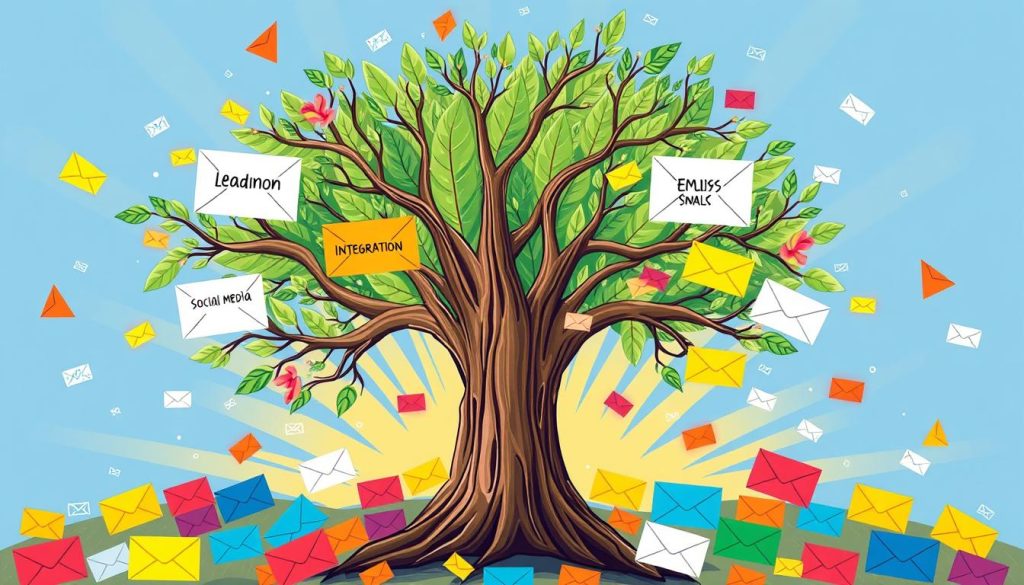
Building an email list effectively requires a mix of strategies. Here are some proven ways to attract and keep subscribers:
- Create compelling lead magnets like ebooks, reports, or guides
- Utilize pop-up forms strategically on your website
- Leverage social media platforms for subscriber recruitment
- Host online webinars and workshops
- Partner with industry influencers
Creating Opt-In Forms
Designing attractive opt-in forms is key to capturing potential subscribers. Keep forms short and simple to boost signup rates. Studies show that concise forms lead to higher conversion rates.
“The key to growing an email list is providing value that makes subscribers want to hear from you.” – Digital Marketing Expert
Integrating with Your Website
Place signup forms across your website to increase visibility. Put them in strategic spots like:
- Homepage sidebar
- Blog post footer
- About page
- Exit-intent popups
Segmenting Your Audience
Effective subscriber management means segmenting your audience. Categorize subscribers by interests, behaviors, and demographics. This way, you can send more personalized content that boosts engagement.
Digital marketing data shows targeted email campaigns can increase revenue by up to 760%. This is thanks to strategic segmentation.
Crafting Compelling Content
Email marketing success depends on creating content that grabs your audience’s attention. Your emails are more than messages—they’re chances to connect, engage, and get people to take action.
Writing Engaging Subject Lines
Your subject line is the first thing people see. With most emails checked on phones, it’s key to make it compelling. Here are some tips:
- Keep subject lines short and punchy
- Create a sense of urgency
- Ask intriguing questions
- Use personalization tokens
Personalizing Emails
Personalization turns generic emails into ones that speak directly to your audience. By using subscriber data, you can offer highly relevant experiences. Studies show that using a subscriber’s name can really boost engagement.
“Personalization is not just a trend—it’s an expectation in modern email marketing.”
Including a Strong Call to Action
Your call to action (CTA) is when subscribers decide what to do next. Here’s how to make it effective:
- Use 2-5 words for optimal CTA length
- Choose action-oriented verbs
- Design CTAs with contrasting colors
- Create a sense of urgency
Remember, email marketing can bring in an average return of $36 for every $1 spent. By using these strategies, you’ll turn your emails into powerful marketing tools.
Automating Your Email Campaigns
Email automation changes how businesses talk to their audience. It uses smart email sequences to send personalized messages without needing to do it all by hand. This strategy helps you reach customers at the right time.
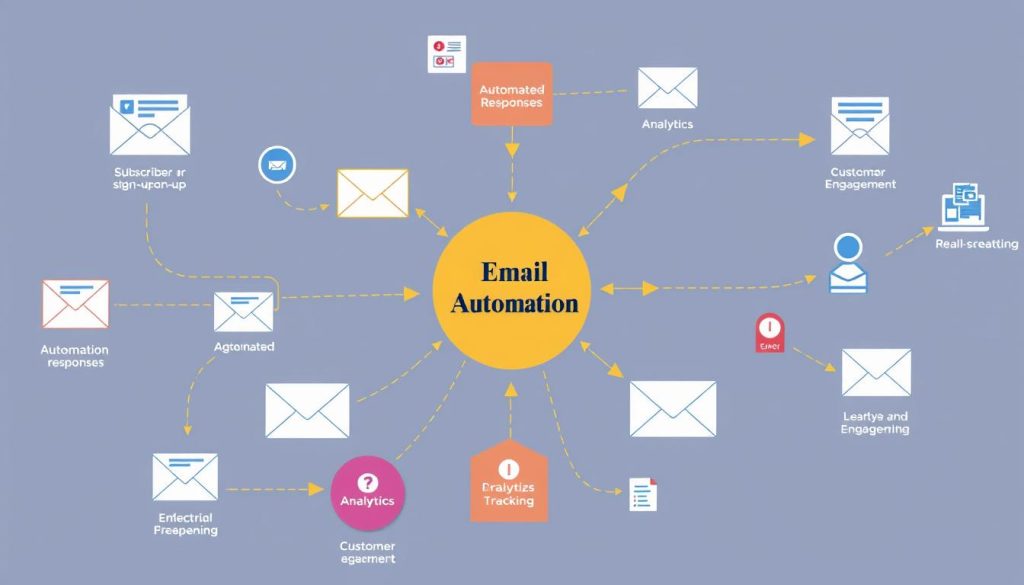
Automation lets marketers make smart plans that change based on what customers do. With the right plan, you can make your marketing much better.
Introduction to Automation
Email automation makes your marketing work better by sending messages on its own. It has many benefits:
- It keeps customers in the loop
- It makes messages feel personal
- It saves time
- It makes customers happier
Setting Up Autoresponders
Autoresponders are key for making email sequences work. They help you:
- Send a welcome to new subscribers
- Help leads grow on their own
- Get back customers who forgot to buy
- Send messages at the right time
“Automation turns one-time interactions into ongoing relationships.”
Scheduling Your Emails
Planning when to send emails is important. It makes sure your messages get to people when they’re most likely to read them. Look at these numbers:
| Campaign Type | Typical Frequency | Recommended Emails |
|---|---|---|
| Welcome Series | 1-3 emails/week | 3-5 emails |
| Nurture Campaign | 1-2 emails/week | 5-7 emails |
| Re-engagement | 1 email/2 weeks | 2-3 emails |
Pro tip: Always check your email stats to make your automation better and get more people to engage.
Analyzing Campaign Performance
It’s key to track how well your email marketing campaigns do. This helps you see how your audience reacts to your emails. It also shows where you can get better.
Good email marketing means knowing the right metrics. These metrics tell you how well your campaigns are doing. They help you understand your audience better and make smart choices.
Understanding Key Metrics
To check how well your email marketing is doing, look at these important metrics:
- Open Rate: Shows how many people open your emails
- Click-Through Rate (CTR): Counts how many clicks on your email links
- Conversion Rate: Tells you how many people take the action you want
- Unsubscribe Rate: Shows how many people choose to stop getting your emails
Using A/B Testing
A/B testing is a great way to make your email marketing better. It lets you see which email version works best with your audience.
“Test everything from subject lines to call-to-action buttons to improve your email engagement.” – Email Marketing Expert
Adjusting Strategies Based on Data
Use what you learn from your email marketing to make it better. Look for patterns in how people interact with your emails. Then, change your content, timing, and who you send it to.
- Create targeted segments based on engagement
- Experiment with different email designs
- Personalize content based on subscriber interactions
By always checking and tweaking your email marketing, you’ll get better results. You’ll also keep your audience more engaged.
Best Practices for Email Marketing
Email marketing is complex and needs careful planning. Success depends on knowing key best practices. These practices help protect your reputation and boost engagement.
Good email marketing is more than just sending emails. It’s about making real connections and following strict rules and standards.
Maintaining Compliance with Regulations
Rules protect both businesses and customers. Important strategies include:
- Using confirmed opt-in processes
- Providing clear unsubscribe options
- Avoiding bought email lists
- Respecting what subscribers want
Avoiding Spam Filters
To avoid spam folders, use smart strategies:
- Use custom domain email addresses
- Keep your email list clean
- Watch your engagement metrics
- Remove inactive subscribers often
“Clean lists lead to better deliverability and more engaged subscribers.”
Creating Mobile-Friendly Emails
With more people using mobiles, making emails responsive is key:
| Design Element | Mobile Optimization Strategy |
|---|---|
| Font Size | 14-16 pixels for easy reading |
| Layout | Single-column design |
| Call-to-Action | Large, easy-to-tap buttons |
| Image Size | Compressed for quick loading |
By sticking to these best practices, you’ll see better results. Your emails will get delivered, people will engage more, and your campaigns will do better overall.
Integrating AWeber with Other Tools
Expanding your online marketing reach requires seamless connections between different platforms. AWeber offers powerful integration capabilities. These transform your marketing tool into a comprehensive communication ecosystem.
Connecting AWeber with other digital platforms can dramatically enhance your marketing strategies. It also streamlines your workflow.
CRM and E-commerce Integrations
AWeber supports integration with multiple customer relationship management (CRM) and e-commerce platforms. This optimizes your online marketing efforts. Key integrations include:
- Shopify for e-commerce tracking
- WordPress for website connections
- Nimble CRM at $19 per user/month
- SamCart for sales funnel management
Social Media Integration
Your email marketing becomes more powerful when synchronized with social media channels. AWeber allows you to:
- Sync subscriber data across platforms
- Create cross-channel marketing campaigns
- Expand audience reach
- Track engagement metrics
Using APIs for Custom Solutions
For advanced users, AWeber’s API provides flexibility to create custom integrations. Developers can:
- Build personalized marketing workflows
- Connect with unique business systems
- Automate complex marketing processes
“Integrations transform your marketing tool from a simple email platform into a comprehensive business communication system.” – Marketing Expert
By leveraging these integration capabilities, you can create a more cohesive and efficient online marketing strategy. This saves time and increases engagement.
Tips for Increasing Email Engagement
Email marketing success comes from making real connections with your subscribers. To boost engagement, you need to turn regular emails into exciting interactions.
Good email marketing is more than just sending messages. It’s about creating experiences that speak to your audience and get them to act.
Building Relevance and Value
Your emails should offer real value to your subscribers. Here are some tips:
- Send personalized tips based on what they like
- Share unique content they can’t find anywhere else
- Split your list to send messages that really hit home
“Relevance is the key to unlocking subscriber engagement.” – Email Marketing Expert
Encouraging Feedback and Interaction
Interactive emails can really boost engagement. Try these ideas:
- Add quick surveys to your emails
- Directly ask your subscribers for their thoughts
- Make polls easy to answer with just one click
Utilizing Customer Testimonials
Real stories from customers build trust and credibility. Authentic testimonials can increase email open rates by up to 40%. Share true experiences that show the worth of what you offer.
By using these strategies, you’ll turn your email marketing into a lively, interactive experience. This will keep your subscribers excited and engaged.
Conclusion
AWeber is a powerful tool for improving your email marketing. It has over 25 years of experience and helps more than one million customers. This Pennsylvania-based tool lets businesses connect and engage with their audience.
Using AWeber can open up new possibilities for your email marketing. It shows an average return of $42 for every dollar spent. With 600+ email templates and 750+ integrations, AWeber gives you the tools to create effective campaigns.
Key Takeaways for Email Marketing Success
AWeber offers AI content help, personalization, and detailed analytics. These features help you create emails that speak to your audience. It’s great for both small and big businesses, with plans that fit your budget.
Next Steps in Your Email Marketing Journey
Begin with AWeber’s free plan and try out automation. As you get better, you can make your email marketing even stronger. With 24/7 support and easy design, you’re set to improve your digital communication and grow your business.